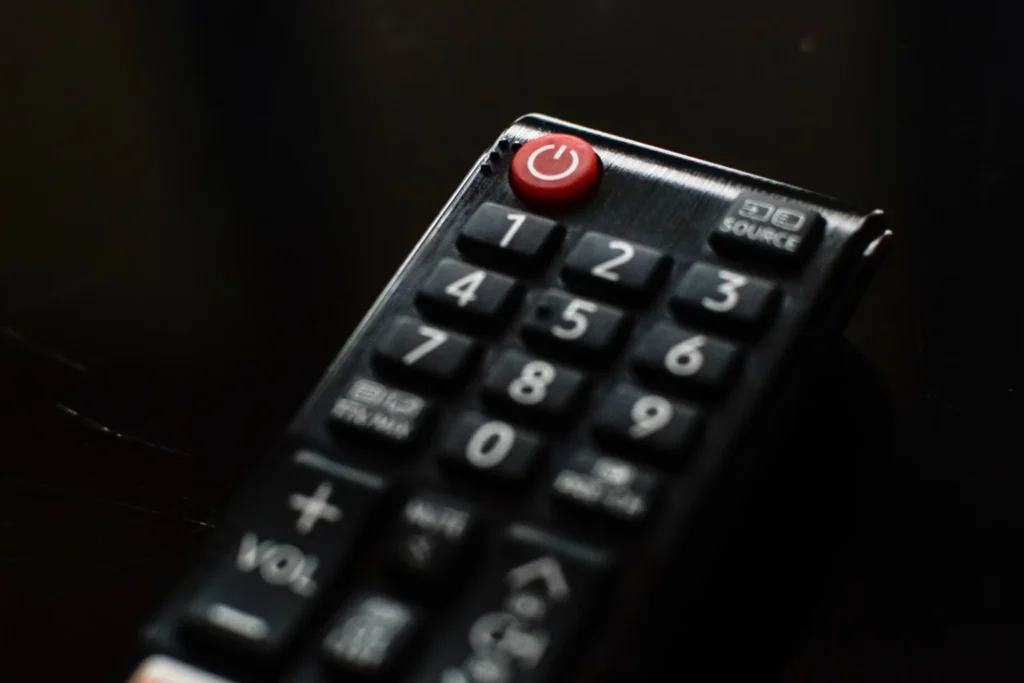
Photo: Geri Tech / Pexels. Television remote as an illustration of button layout; not a vibrator controller, Syloria accessory or compatible remote. Photo licence.
Compare one-button and multi-button vibrators by the actions their controls perform: switching off, changing a mode, reducing intensity and returning to a setting. Button count alone does not tell you how easily you can do those things.
By Syloria · Sources reviewed 16 October 2026. This buying guide uses published instructions and retailer guidance. It is not a hands-on usability test or an accessibility assessment. Syloria sells the Bullet discussed below.
A single control can appeal if you want one place to find. Separate controls can appeal if you want distinct actions, such as intensity up and down. Both choices still require a clear explanation of what each press does. A photograph shows where a button sits; the exact manual explains its behaviour.
This guide helps you assess the interface before buying. For the meaning of speeds and sequences themselves, use our speeds and patterns guide.
Control layout is one part of handling. Our guide to choosing a vibrator for grip and reach helps you ask about the holding area, device-only weight and preparation tasks without assuming that small size or a single button suits everyone.
Start with four actions you want to understand
Before counting buttons, try to answer these questions from the product instructions:
- How do I switch the device off?
- How do I change the mode or pattern?
- Can I reduce intensity directly?
- What happens when I switch it on again?
These are different questions. “Ten modes” answers none of them completely. Neither does “intuitive controls”. Look for short press, press and hold, separate labelled controls or another documented action, rather than interpreting those marketing phrases yourself.
The fourth question may be unanswered in a listing. Do not fill the gap by assuming mode memory or a restart at the lowest setting. Record it as unknown and ask the manufacturer. People can have different preferences about startup behaviour; the important point is knowing what the model actually does.
How one-button layouts can differ
One button may perform several actions depending on how you press it. On the Syloria Bullet, the official instructions specify a hold of about three seconds for power and a short press while on to change mode. That is a documented example, not a universal procedure for other toys.
Another product may assign power to a short press or use a different sequence. The distinction between tapping and holding therefore belongs on your buying checklist. You should not have to guess which action changes a setting and which switches the device off.
A compact layout also does not tell you whether you can move backwards through settings. If the instructions only describe advancing to the next mode, do not assume a double press, reverse command or reset shortcut. Those features need their own evidence.
| Buying question | A one-button layout | A multi-button layout |
|---|---|---|
| Where is the control? | One button location to identify | Several controls to distinguish |
| How do actions differ? | May depend on press duration or sequence | May depend on which button is used |
| Can intensity decrease directly? | Check for a documented action | Check what each button actually controls |
| What needs confirming? | Mode route, power command and startup behaviour | Button mapping, power command and startup behaviour |
Each entry is a question about the exact model. It is not a promise that every one-button or multi-button product behaves in that way.
What extra buttons may add
Separate buttons can provide separate intensity controls, a pattern selector, power or independent control of different parts. Those are different designs. Two visible buttons do not automatically mean “up” and “down”.
Retailer Good For Her highlights this distinction in its discussion of one- and two-button toys: controls for separate motors are not the same as controls for increasing and decreasing one output. Its article is older, so we use the design distinction rather than treating its listed favourites as a current shopping recommendation.
For a documented example of separated functions, the LELO SONA 2 manual identifies a mode/power button and plus/minus intensity buttons. SONA 2 is a different type of stimulator; this example illustrates its control mapping, not a like-for-like sensation or performance comparison with a bullet.
That manual supports the particular button functions it describes. It does not establish that every three-button product has the same interface, or that separate controls will suit every reader’s handling preferences.
Separate mode selection from intensity adjustment
When comparing listings, ask whether changing intensity also changes the pattern. Some interfaces provide separate routes; others describe a sequence of combined modes. Knowing which applies helps you decide what you want to manage.
Imagine that your priority is staying in a steady mode while changing its level. You would want explicit documentation that the model allows that action. A high mode count does not establish it. Conversely, if you mainly want to explore a small sequence of options, a direct mode-advance button may be sufficient for your preference.
These are shopping scenarios, not instructions to keep cycling through an uncomfortable experience. Stop if an operation or sensation is uncomfortable, and follow the exact product’s instructions. Do not improvise a shortcut because another model uses one.
The difference between a setting’s character and its strength is another consideration. For current buying guidance, start with the bullet selection guide. It puts controls alongside size, power and product information.
Look at button placement as well as the diagram
The location of a button matters to how you intend to hold the device. Check whether it sits on the base, side or handle and whether a close-up shows its position clearly. Overall dimensions help you visualise the body, but do not establish the force needed to operate a control.
If button feel is important to you, ask about details the photograph cannot show: whether it has a tactile click, whether different buttons can be distinguished by shape, and whether operation requires a sustained hold. Treat an unanswered question as unanswered.
We have not measured Syloria’s button force, tactile distinction or suitability for a particular impairment. A small body or a single button cannot establish those things. If you need a specific handling feature, ask for a demonstration or a precise answer before buying, rather than relying on “easy to use”.
A diagram can also help distinguish an indicator from a control. Do not assume every round mark is a button. On Syloria, charging-point markings have their own explanation in the manual and should not be interpreted as another operating control.
Compare actual instructions in a short worksheet
For each model on your shortlist, record the exact actions and the source. Keep “not stated” where necessary. The following worksheet avoids awarding a better score merely for having more controls.
| Action or detail | What to record | When to ask the seller |
|---|---|---|
| Power off | Button and press type in the manual | If the listing only says “one-touch” |
| Change mode | The documented command | If mode and intensity wording are mixed |
| Reduce intensity | Whether a direct decrease is documented | If you only see a mode count |
| Restart | Any documented starting or remembered setting | If the manual is silent |
| Handle controls | Position and any specified tactile details | If a feature is essential to you |
Consider a hypothetical comparison. Model A has one button with a clearly documented short/long press distinction. Model B has three buttons but no labelled diagram or downloadable instructions. You can identify A’s actions more confidently from the available information. That does not prove A is more comfortable or that B is a worse product; B’s documentation gap needs resolving.
You can send the worksheet questions to a retailer without sharing intimate photographs or health details. State the exact model/version and the action you want to perform. “Can I reduce intensity without changing the pattern?” is more useful than “Is it simple?”
Where the Syloria Bullet is worth considering
The Syloria Bullet has a published 92 × 21 mm body and ten modes. Its direct one-button operation is documented: hold about three seconds for power and short-press while on to change mode.
It can be a shortlist option if you prefer a small handheld body and one physical control. The trade-off is that the published instructions do not document separate plus/minus intensity buttons. We also do not promise mode memory, a reverse command or a particular restart level, because those details are not established in the current instructions.
If direct separate intensity adjustment is essential to your decision, compare a model whose manual explicitly documents it. If you want to clarify Syloria’s controls, ask our support team before buying. The recommendation should fit your preferred interaction rather than a claim that one button is best for all beginners.
For learning the documented actions after purchase, our first-use guide provides the broader context. A control that fails to respond as documented is a support question, not a reason to open a sealed device or invent a reset sequence.
Frequently asked questions
Are fewer buttons always easier for beginners?
No. One button reduces the number of locations to find, but may perform several actions. Separate buttons can distinguish functions. Compare the actual instructions and your handling preferences.
Do two buttons mean intensity up and down?
Not necessarily. They may control different parts or combine power and mode selection. Check the labelled diagram for the exact model.
Does ten modes mean ten separately adjustable intensities?
No. A mode count alone does not document independent intensity adjustment. Read how settings are selected and changed.
Does Syloria remember the last mode?
We do not have a verified statement for that feature in the current instructions. Ask support rather than assuming either memory or a particular startup level.