
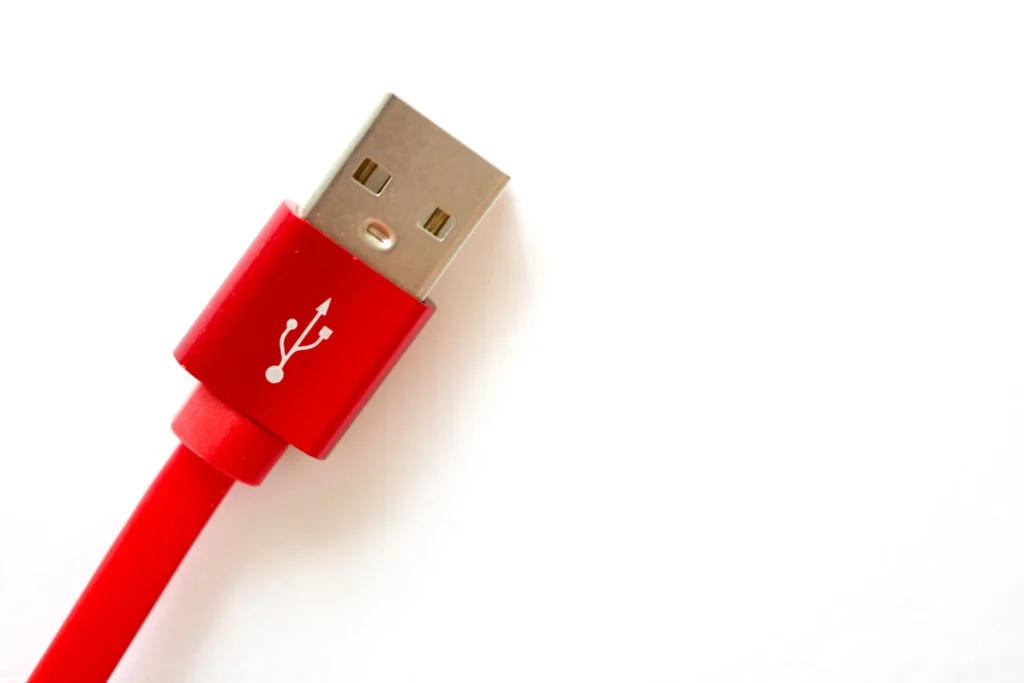
Photo: Jess Bailey Designs / Pexels. Generic disconnected USB supply plug; not the supplied Syloria cable or a compatibility recommendation. Original photo · Photo licence.
If your vibrator won’t turn on, identify the exact model and check its documented power-on action before trying more charging or random button combinations. If the maker documents a travel lock, check that next. An indicator light, a cable that fits or a period spent connected to power does not, by itself, tell you why the device is not starting.
For the Syloria Bullet, the published power-on action is to hold its round button for about three seconds. A short press changes the mode after it is running. Check the current Syloria instructions alongside the printed guide supplied with your unit.
If the product or cable is damaged, unusually hot, leaking or giving off an unusual smell, stop using or charging it and contact the maker. Do not open a sealed device or attempt a battery repair. These are explicit stop conditions in Syloria’s instructions.
By Syloria · Documentation reviewed 19 October 2026. This is a non-invasive checking guide, not an internal fault diagnosis.
Start with the symptom, not a guessed faulty part
“Not working” can describe several different observations. Write down what happens before choosing the relevant next step. Do not repeat a test if a stop condition is present.
| What you observe | What it tells you | Next useful step |
|---|---|---|
| Nothing happens when you press a button | The expected response has not occurred | Confirm the correct power action and exact model |
| A light appears but there is no vibration | A visible response occurred; the internal cause is still unknown | Check whether the manual describes standby, a lock or a separate start action |
| It appears to charge but will not run after disconnection | Charging and starting need checking separately | Verify the documented indicator and power sequence, then contact support if unresolved |
| It starts and then switches off | It is a running/interruption complaint | Use the turning-off guide |
| It runs but the charging behaviour is unclear | The main question concerns charging | Use the charging guide |
A flashing light cannot be translated from another brand’s instructions. Nor does silence prove the motor has failed. The observation is useful; the component diagnosis requires information this article does not have.
1. Match the instructions to the product in your hand
Find the full brand, model and version on the packaging or supplied guide. A store order may use a shortened name, so compare it with the manual’s drawing, button arrangement and connector. If the pictures or controls do not match, ask the manufacturer which instructions apply.
This matters when a product name remains similar across revisions. For example, Dame’s manuals page links a specific Pom manual with its own control layout. It is a source for that version of Pom, not a power-on guide for every palm-shaped vibrator.
For a new device, read the first-use section before assuming it has failed. Check any preparation the manufacturer actually requires. Do not invent a charging duration, remove a seal that is not described as user-removable, or borrow a “first-use reset” from a forum.
2. Separate a short press from the power action
Look for a button symbol and an action: tap, hold or a documented combination. If a hold is required, a brief tap may perform a different function or give no response while the device is off. Follow the duration stated for that model rather than holding the button indefinitely.
For Syloria, use the three-second power action described above with the charging cable disconnected. Its public guide does not document a factory-reset sequence, a shipping mode or a travel-lock command. That absence is a reason to ask support, not to try combinations until something happens.
If you are checking another model, use its manual even if it has an identical-looking round button. Our one-button and multi-button comparison explains why the number of buttons does not tell you the sequence.
Once you have confirmed and tried the correct action under the documented conditions, record the result. Repeating it many times adds little useful information for support.
3. Check a travel lock only when it is documented
A travel lock can stop normal operation on some products. It is a feature to verify, not a universal explanation for a non-starting toy. Look for the lock section in the exact manual and check the described response when it is activated or released.
The We-Vibe Touch X manual includes a dedicated travel-lock section. That confirms a lock exists on that model. It does not establish a lock or the same command on a Syloria Bullet.
Avoid trying every common unlock method listed in a general buying guide. A simultaneous button press, a long hold and connecting a charger can have model-specific meanings. If two official pages disagree, send their links to the manufacturer and request clarification. Do not improvise a sequence from parts of both instructions.
4. Establish what you know about the power supply
If the device is rechargeable, compare the charging behaviour with its own instructions. Note the cable used, the labelled power input and any visible indicator. Check whether the manual says to disconnect before switching on. A light can show a connection or another state; its meaning depends on that product.
The main charging checks belong in our vibrator-not-charging guide. If the original cable is missing or the connector does not fit gently, ask support for the correct replacement instead of trying spare cables. A USB supply connection does not make every device-end connector interchangeable.
If the product has user-replaceable batteries, follow its own battery type, orientation and compartment instructions. Do not apply that routine to a sealed rechargeable device. Keep the distinction clear when describing the problem to support: “replaceable batteries” and “built-in battery” call for different documentation.
Avoid using repeated charging as an undocumented reset. For Syloria, follow the supplied-cable and compatible 5V input instructions, keep the connection dry, and do not leave charging unattended. An unresolved startup problem is a reason to seek model-specific help rather than extend charging indefinitely.
5. If a remote or app is involved, identify which part is responding
A remote that lights up and a toy that starts are different observations. Check the manual’s normal sequence for powering the toy and controller. If the model supports operation directly from its own buttons, note whether that documented local operation works before describing the problem as an app fault.
Do not delete an account, change unrelated phone settings or attempt a reset unless the maker’s instructions call for it. For a device that does not use an app or remote, skip this step entirely. The Syloria public instructions describe local one-button operation, so app-pairing advice does not apply to that model.
Give support an observation they can act on
You do not need to name the faulty internal part. A concise account of the model, correct action and result is more useful. Use the retailer or brand’s verified support channel and provide purchase evidence only as that channel requests.
| Information | Useful example of the format |
|---|---|
| Exact product | Brand, model and version from the packaging or guide |
| History | “New, first attempt” or “Previously started normally; last worked on [date]” |
| Power-on attempt | “Followed page/section [name]: held [documented button] for [documented duration]” |
| Observed result | “No response”, “one brief pulse” or an accurate description of the light |
| Power information | Original cable used; supply label; observed charging behaviour, if applicable |
| Condition | Any visible damage or unusual heat, smell or leakage; stop testing if present |
For Syloria, start at the private support page. A photograph of the controls or packaging can help identify a model; it does not need to include your body or any use demonstration. Follow the support channel’s instructions about attachments and personal information.
Whether the issue qualifies for a retailer return or brand warranty depends on the applicable terms and the assessment. This guide cannot approve a claim or promise that every non-starting product will be replaced. Review the current Syloria warranty information when contacting the brand.
Frequently asked questions
Why won’t my vibrator turn on after charging?
Time connected to a cable does not establish that charging completed. Check the model’s indicator, correct power action and documented lock. If those checks do not explain it, contact support with the observations rather than diagnosing the battery or motor yourself.
How do I turn on a Syloria Bullet?
Follow its supplied instructions: hold the round power button for about three seconds with the charging cable disconnected. If that does not produce the documented response, contact Syloria Support.
Does every vibrator have a travel lock?
Do not assume so. Check the exact manual. Syloria’s current public instructions do not document a travel-lock command.
Is there a universal vibrator reset?
There is no reset sequence established by the sources in this guide for all vibrators. Use only the procedure the manufacturer documents for your exact model. A reset described for another device is not an instruction for yours.
Should I open it to check the battery?
Do not open a sealed rechargeable Syloria Bullet or attempt its battery repair. If another product has a user-accessible battery compartment, use only its documented battery-change procedure. These are different designs.
Sources and editorial scope
- Syloria instructions, support and warranty: model-specific power action, operating boundaries and actual help route; checked 19 October 2026.
- We-Vibe Touch X manual: an example of a documented model-specific travel lock. Exact combinations were deliberately not generalised.
- Dame manuals index: version-specific source discovery, illustrating the need to match controls and instructions.
- LELO charging questions: competing support coverage, not Syloria charging or reset instructions.